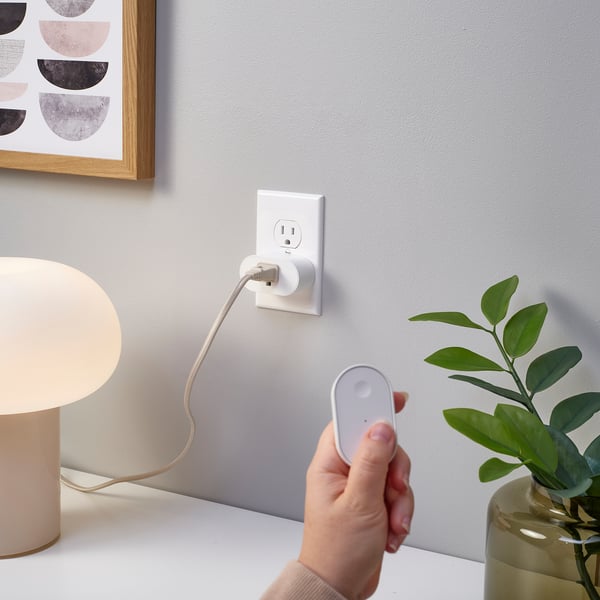
They should printed the QR code somewhere else smarterDanhThe QR code should be placed somewhere more practical, such as on the top or bottom of the plug, rather than on the back where it becomes completely covered after installation. This makes it impossible to scan without unplugging the device.
The plug also only provides a QR code and does not include the Matter setup code (numeric code) as a backup. I have two of these plugs, and unfortunately, neither QR code is scannable. I’m not sure whether the QR codes are incorrect or if there is another issue, but without the Matter setup code, I have no way to add either plug to my system.
It would be much better to include both the QR code and Matter setup code on the plug or packaging, with the QR code placed somewhere that remains accessible after installation.1
love the plugThomasit is great to have this type of plug that can be used for all types of use5
Effortless and cute PThrilled IKEA switched to Matter compatible iot. Setup in seconds via Apple home and now Siri can control my outlet! Going to revamp our system to use more IKEA plugs now. Wish that had timer/scheduling option but perhaps that’s handled via Apple shortcut/automations5
“Thread border router required”ChrisBought 3 of these grillplats since they are very affordable and plug-n-play thread plugs. However though, they refuse to connect the HomeKit ecosystem even though I have two HomePod minis. The error message that keeps coming up on repeat is “thread border router required”, which is what the HomePod minis exactly are…
I’ve had no problems connecting any other thread devices like bulbs or plug-in lights to HomeKit. I feel like they need to be updated via the ikea smart app, though you can only connect to that app with their proprietary zigbee bridge which I have no desire to buy.1
clicking sound BenjaminEasy to pair and works as expected. However, it makes clicking sound when turn on or turn off. Also, a little bulky imo. 4
GreatKellyI installed a number of these to replace wifi models from other manufacturers. They work great. Paired quickly and have been rock solid. Remember you need a thread bored router for these to work. IKEA could do a little better explaining this.5
GrillplaysSammyWorks amazingly, I love that you can connect multiple to the same remote5
Currently does not play well with Amazon Alexa; Apple HomeKit OKAdamI've had a Trådfri setup that's been working well for years but these new Matter offerings tempted me to switch. As a test, I ordered some Kajplats with remotes, a Myggbett, and this Grillplats plug. All except for the Grillplats could be set up via my 3rd gen Echo Show 8 as a Thread border router. However no matter how many times I reset this plug (hold button until the LED blinks from red to white) and tried pairing, it could not be set up. Curiously, watching the LED during this process shows it connects (slow pairing blink turns to a quick flash then stops, similar to what happens when you set up a bulb) but then the Alexa app throws up a "Something went wrong" message with an GS014 error code. As an experiment, I set up an Apple TV 4K temporarily on the same network and the plug could be paired and operated via HomeKit no issue (plug firmware reported there as 1.4.6). Reset the plug and tried again with Alexa but same issue remains. I hope either Ikea or Amazon can put out a fix.2
Works greatMarkWorks great. Smart switch with power usage tracking that also helps build out your thread mesh network.5
couldn’t pair it without scanning qr code Josephhad trouble getting it to pair without scanning the matter qr code. problem is the qr code is on the back!! i ended up plugging it into an extension cord just so i could scan the qr code while it was still plugged in.4
working but feel cheapAnonymous reviewerI hope it could be better quality4
Great - ZigBee and MatterChuckI have one running with ZigBee and one as Matter over Thread. Both work great so far. No connection or other problems in the few weeks I've been using them.5
No let there be energy automationAndreSuch a great conveniency to have in your home/apt/office. Wish I purchased sooner. Easy setup for my HomePod.5
Too Wide for Some ApplicationsMatthewThe functionality of the Grillplats smart plug is good. It has many different measurements that can be used in Home Assistant and it turns off and on just fine in both Home Assistant and Apple Home, when it is connected to a stable Thread network. But, I have one problem with it. When I try to use it in an outlet that is next to a switch, the width of the plug partially blocks the neighboring switch, preventing the use of the switch. If you don't have a neighboring switch or plug, then the width probably will not be a problem for you.4
Easy to pair, accurate to useAllenI have a total of 12 smart plugs - 4 Eve Energy, 4 Onvis S4 and 4 Grillplats - all Matter over Thread. The Grillplatsare the only ones sensitive enough and transmits data at a high enough rate that I can monitor when my water softner and sump pump run. I see another comment that this causes another user a problem, however I'm using an OLD fanless PC (J3060 CPU) with Home Assistant OS and ZBT-2 as an OTBR. No problems with all of the plugs online and a total of 40 Matter over Thread devices (plus half a dozen) ESP32 devices on wifi. Of course, it is possible I'm just lucky.
The only downside is the Grillplats does not seem to connect to as many other Thread devices as the other types of Smart Plugs however I have not done any analytic testing.
Strongly recommended.5
Now just add history trackingMathewConnecting this was quick and flawless. I'll probably use it mostly as a Thread extender but it performs as expected. I'd like to see energy monitoring history in the app just like the other temp, humidity, Co2 sensors do. It would help for better energy tracking and use trends through the month.4
Works as expected and love the energy monitoringAndrewAs with all the new IKEA Matter devices, it was hard to get this connected. But now it works as expected and works well. The energy monitoring is a great value add for a device like this.5
Please tweak firmware for Home AssistantJohn A HillYour matter over thread line is awesome! I'm so happy for it. But... These poll Home Assistant in real time sending six points of data constantly. Which can have its use cases. But in home assistant it's overloading the logs and crashing my raspberry pi 5 16GB HA server. Can you add the ability to set a polling rate to live or intervals? 5, 10, 15, 30 seconds or minute. I was so happy to get these and then so sad they over ran my brick outhouse setup. I'm holding on to them and the outdoor ones too in hopes of a firmware update :-) Pretty Please ;-)3
Very nice, with a few power monitoring issuesAdamGood:
- Easy to pair
- Reports most power attributes well
- Works well as thread repeater
Bad:
- Produces spurious voltage readings when the switch is turned off (I've seen 0V, 16V, and other strange values.) All my other smart switches export correct voltage values when switched off.
- The Frequency is reported in Hz instead of milli Hz. This seems to be a holdover from Zigbee and will result in frequency values off by 1000x.
- Frequency also appears to be invalid when the switch is off.4
Great valueAlexandreAt this price it's now the cheapest way to extend your thread network. Even if you'll never plug anything or use the smarts bits, it'd still make sense.
But the smart bits are nice! I mostly use the power monitoring part.5