
How to design your gaming room – both functional and cozy
What do you need for a gaming room? Besides your gaming equipment, which is of course the most important part, you’ll also need furniture and other interior elements. Here, we’ll give tips on what furnishings are needed, what to consider when choosing gaming furniture, and how to create a cozy and functional gaming room.
How do you choose the right gaming chair?
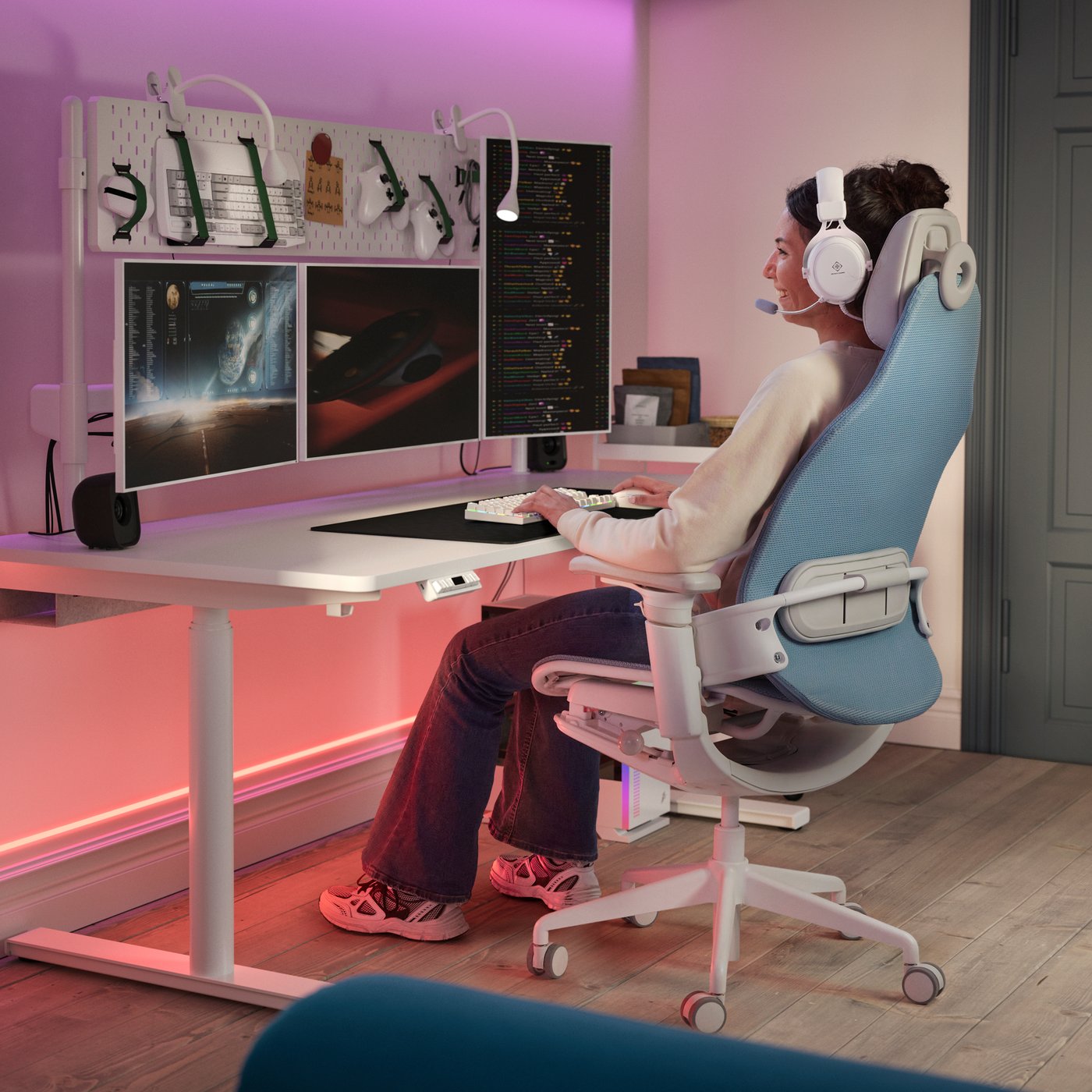
Is there any difference between regular office chairs and gaming chairs? Yes—the biggest difference between an office chair and a gaming chair is how adjustable they are. In addition to the adjustments found on most office chairs, good gaming chairs are designed to provide support in more sitting positions than just upright. A gaming chair typically has a backrest that can recline further, a high back, and an adjustable headrest. Many models also allow you to adjust the seat and armrests in several positions. Another difference is that gaming chairs often have a more bucket-shaped seat with slightly raised edges on the sides, which creates a more enveloping feel.
- Ask yourself how much you play. If gaming is a hobby you do for a few hours on weekends and evenings, you’ll need a comfortable chair—but perhaps not a gaming chair with all the features.
- If you’re a professional gamer, you’ll need a chair with maximum comfort and multiple adjustment options.
- The number of features and adjustment possibilities varies depending on the model and price range, so think about which functions matter most to you and check which chairs meet your requirements before making your choice.
- When you choose a good ergonomic gaming chair and adjust it properly to fit your body, it not only makes gaming more comfortable—it can also contribute to better posture and reduced strain on your back, shoulders, and neck.
- In many cases, design and style are also key differences between the two types of chairs. Gaming chairs often have a sportier look, sometimes inspired by racing seats.

How do you choose the right gaming chair?
Is there any difference between regular office chairs and gaming chairs? Yes—the biggest difference between an office chair and a gaming chair is how adjustable they are. In addition to the adjustments found on most office chairs, good gaming chairs are designed to provide support in more sitting positions than just upright. A gaming chair typically has a backrest that can recline further, a high back, and an adjustable headrest. Many models also allow you to adjust the seat and armrests in several positions. Another difference is that gaming chairs often have a more bucket-shaped seat with slightly raised edges on the sides, which creates a more enveloping feel.
- Ask yourself how much you play. If gaming is a hobby you do for a few hours on weekends and evenings, you’ll need a comfortable chair—but perhaps not a gaming chair with all the features.
- If you’re a professional gamer, you’ll need a chair with maximum comfort and multiple adjustment options.
- The number of features and adjustment possibilities varies depending on the model and price range, so think about which functions matter most to you and check which chairs meet your requirements before making your choice.
- When you choose a good ergonomic gaming chair and adjust it properly to fit your body, it not only makes gaming more comfortable—it can also contribute to better posture and reduced strain on your back, shoulders, and neck.
- In many cases, design and style are also key differences between the two types of chairs. Gaming chairs often have a sportier look, sometimes inspired by racing seats.
How do you choose the right gaming desk?
Do you really need a dedicated gaming desk? The short answer is no. A sturdy desk works just as well in most cases, but there are a few things to keep in mind when choosing a gaming desk.
Height is important—you should be able to sit comfortably with your elbows at the right angle without straining your shoulders and neck. Many gaming desks have adjustable height during assembly, and there are also sit-stand models that can be adjusted from sitting to standing at the press of a button.
The size of your gaming desk naturally depends on your equipment. Consider:
- How many monitors do you have?
- Will the computer sit on the desk or on the floor?
- How far back do you want to place the monitors?
- What else do you want space for on the desktop?
- How much room do you have at home?
Before choosing, you should measure your gaming equipment and the space you plan to use to estimate how large a gaming desk you need.
Some gaming desks also include features and details appreciated by gamers, such as a slanted or contoured front edge for better forearm and wrist support, smart cable management, a shelf for the computer, and a hook for headphones.

How do you choose the right gaming desk?
Do you really need a dedicated gaming desk? The short answer is no. A sturdy desk works just as well in most cases, but there are a few things to keep in mind when choosing a gaming desk.
Height is important—you should be able to sit comfortably with your elbows at the right angle without straining your shoulders and neck. Many gaming desks have adjustable height during assembly, and there are also sit-stand models that can be adjusted from sitting to standing at the press of a button.
The size of your gaming desk naturally depends on your equipment. Consider:
- How many monitors do you have?
- Will the computer sit on the desk or on the floor?
- How far back do you want to place the monitors?
- What else do you want space for on the desktop?
- How much room do you have at home?
Before choosing, you should measure your gaming equipment and the space you plan to use to estimate how large a gaming desk you need.
Some gaming desks also include features and details appreciated by gamers, such as a slanted or contoured front edge for better forearm and wrist support, smart cable management, a shelf for the computer, and a hook for headphones.
Cool lighting is an important part of the gaming experience
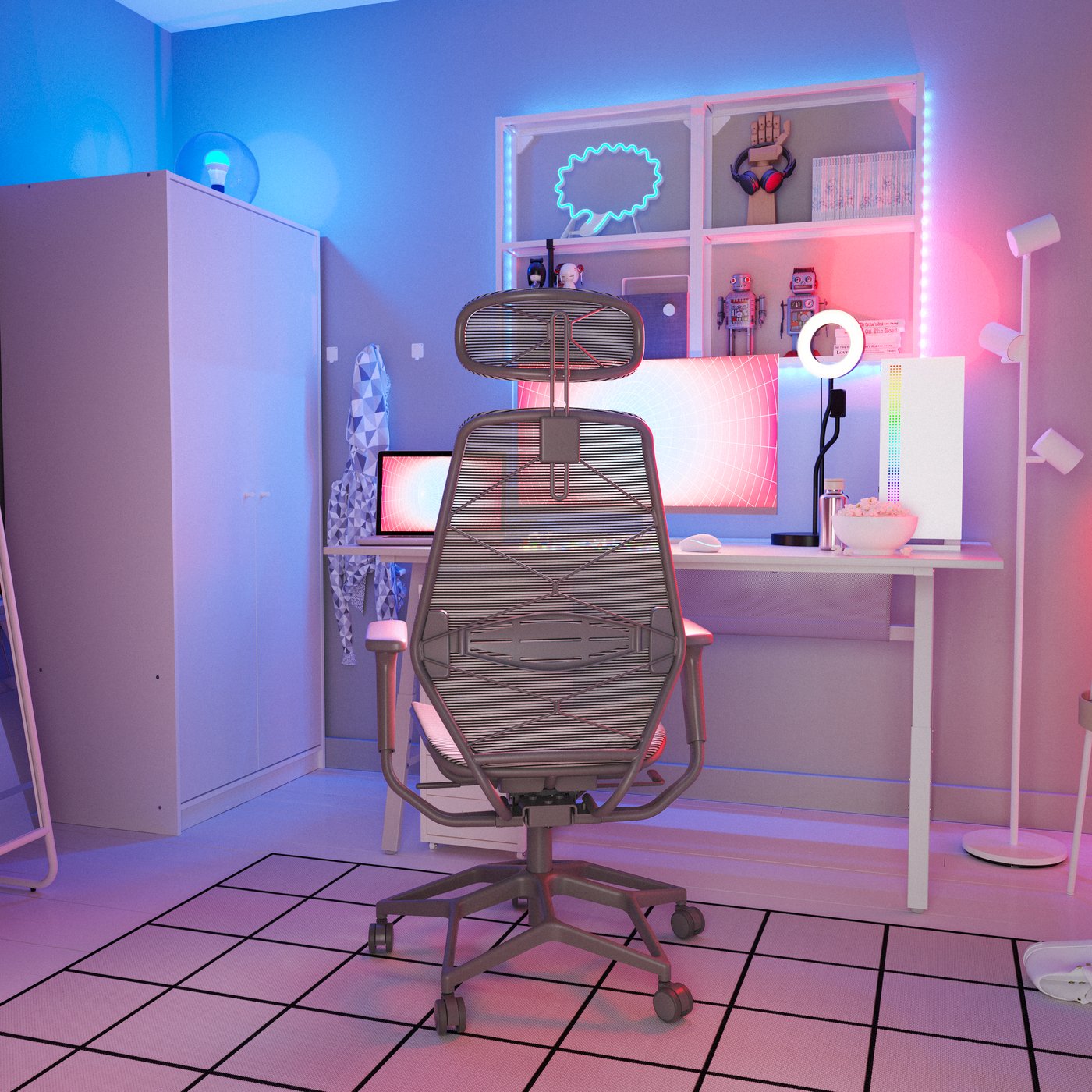
With the right lighting, you can make your gaming setup both personal and functional. A light strip with adjustable colors lets you quickly change the mood in the room. Place light strips along the edge of the desk or behind the screen to avoid glare and create a soft light transition.
Lighting isn’t just decorative or a way to enhance the gaming experience—it can also reduce the contrast between the screen and a dark room, which in turn helps reduce eye strain.
Do you stream while you play? Then a ring light is a smart choice for achieving even lighting and a more professional feel in your broadcasts. We offer both a freestanding ring light with a phone holder and a version that attaches directly to your screen.
Cool lighting is an important part of the gaming experience
With the right lighting, you can make your gaming setup both personal and functional. A light strip with adjustable colors lets you quickly change the mood in the room. Place light strips along the edge of the desk or behind the screen to avoid glare and create a soft light transition.
Lighting isn’t just decorative or a way to enhance the gaming experience—it can also reduce the contrast between the screen and a dark room, which in turn helps reduce eye strain.
Do you stream while you play? Then a ring light is a smart choice for achieving even lighting and a more professional feel in your broadcasts. We offer both a freestanding ring light with a phone holder and a version that attaches directly to your screen.
How to improve the acoustics in your gaming room
Things can get intense, and when you get fully immersed in a game, it’s easy for the volume to rise—especially if you’re communicating with other players at the same time. This can be a sensitive issue, particularly if you live in a building with thin walls or share your home with people who don’t share your interest in gaming.
Fortunately, there are effective ways to reduce noise levels and improve acoustics. Here are two tips:
- Acoustic panels and screens provide the most effective sound dampening. We offer acoustic screens that can be placed on the floor, mounted on the desk, or suspended from the ceiling.
- Textiles are another solution. Hang curtains made of heavy fabric along the walls, place a thick rug on the floor, and complement your gaming room with upholstered furniture such as sofas or armchairs.

How to improve the acoustics in your gaming room
Things can get intense, and when you get fully immersed in a game, it’s easy for the volume to rise—especially if you’re communicating with other players at the same time. This can be a sensitive issue, particularly if you live in a building with thin walls or share your home with people who don’t share your interest in gaming.
Fortunately, there are effective ways to reduce noise levels and improve acoustics. Here are two tips:
- Acoustic panels and screens provide the most effective sound dampening. We offer acoustic screens that can be placed on the floor, mounted on the desk, or suspended from the ceiling.
- Textiles are another solution. Hang curtains made of heavy fabric along the walls, place a thick rug on the floor, and complement your gaming room with upholstered furniture such as sofas or armchairs.
How to make your gaming room cozy
Once all the functional elements are in place and your equipment is set up, take a step back and look at the room. Does it feel cozy? Is it a space you want to spend time in? Will you only be sitting in your gaming chair, or do you want to use the room for other things as well? Maybe you need space for friends?
We’ve already talked about the importance of lighting, textiles, and rugs—all key elements in making your gaming room feel cozy. But you might also want to hang out here with friends or take a break from gaming. If you have room for a sofa or a couple of armchairs, that makes this possible and also gives the room a softer, more inviting feel.

How to make your gaming room cozy
Once all the functional elements are in place and your equipment is set up, take a step back and look at the room. Does it feel cozy? Is it a space you want to spend time in? Will you only be sitting in your gaming chair, or do you want to use the room for other things as well? Maybe you need space for friends?
We’ve already talked about the importance of lighting, textiles, and rugs—all key elements in making your gaming room feel cozy. But you might also want to hang out here with friends or take a break from gaming. If you have room for a sofa or a couple of armchairs, that makes this possible and also gives the room a softer, more inviting feel.
A gaming corner that blends in
Don’t have the option of a separate gaming room and instead have your setup in the living room or bedroom? Then it’s especially important to choose furniture and accessories that blend in with the rest of the room’s decor.
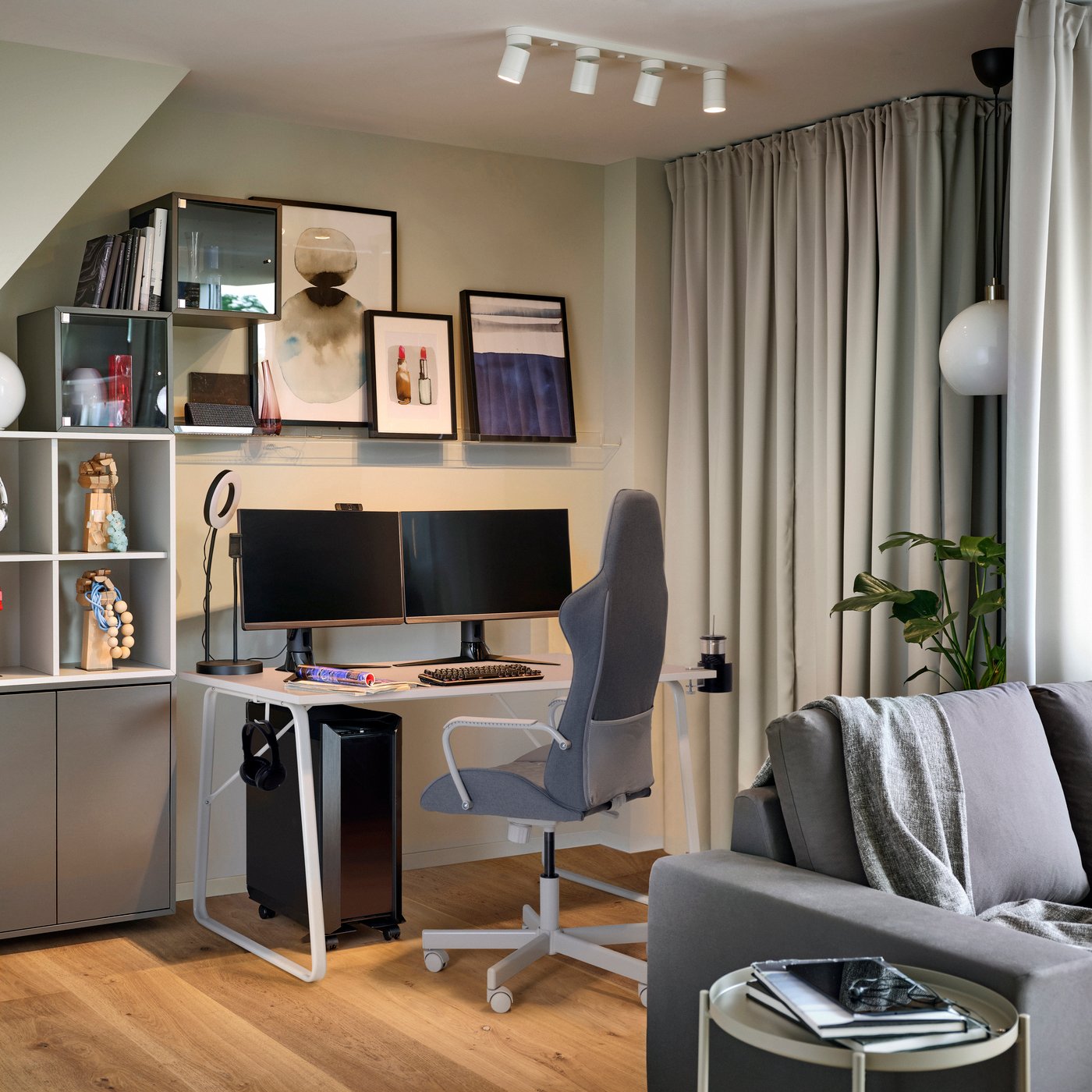
To create a cohesive look, you can choose a gaming desk and chair in colors and materials that match the rest of the interior. Another option is to screen off the gaming corner with a room divider or a ceiling-mounted curtain—an easy way to create a defined zone without making any structural changes.
A gaming corner that blends in
Don’t have the option of a separate gaming room and instead have your setup in the living room or bedroom? Then it’s especially important to choose furniture and accessories that blend in with the rest of the room’s decor.
To create a cohesive look, you can choose a gaming desk and chair in colors and materials that match the rest of the interior. Another option is to screen off the gaming corner with a room divider or a ceiling-mounted curtain—an easy way to create a defined zone without making any structural changes.